Plan as a flow, branch it into , and tick your way to .
Changes the word.0 of 3 tasks done.
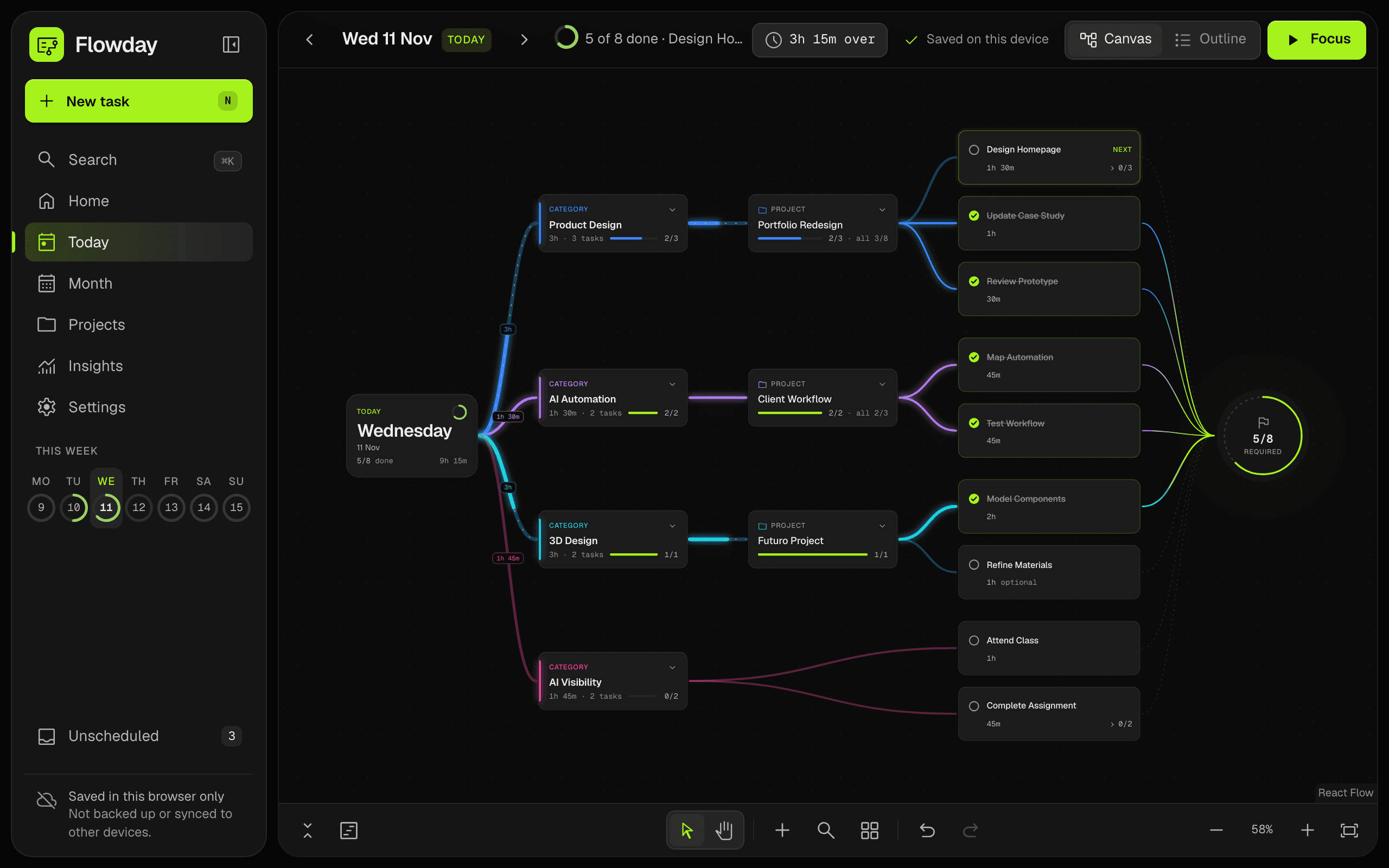
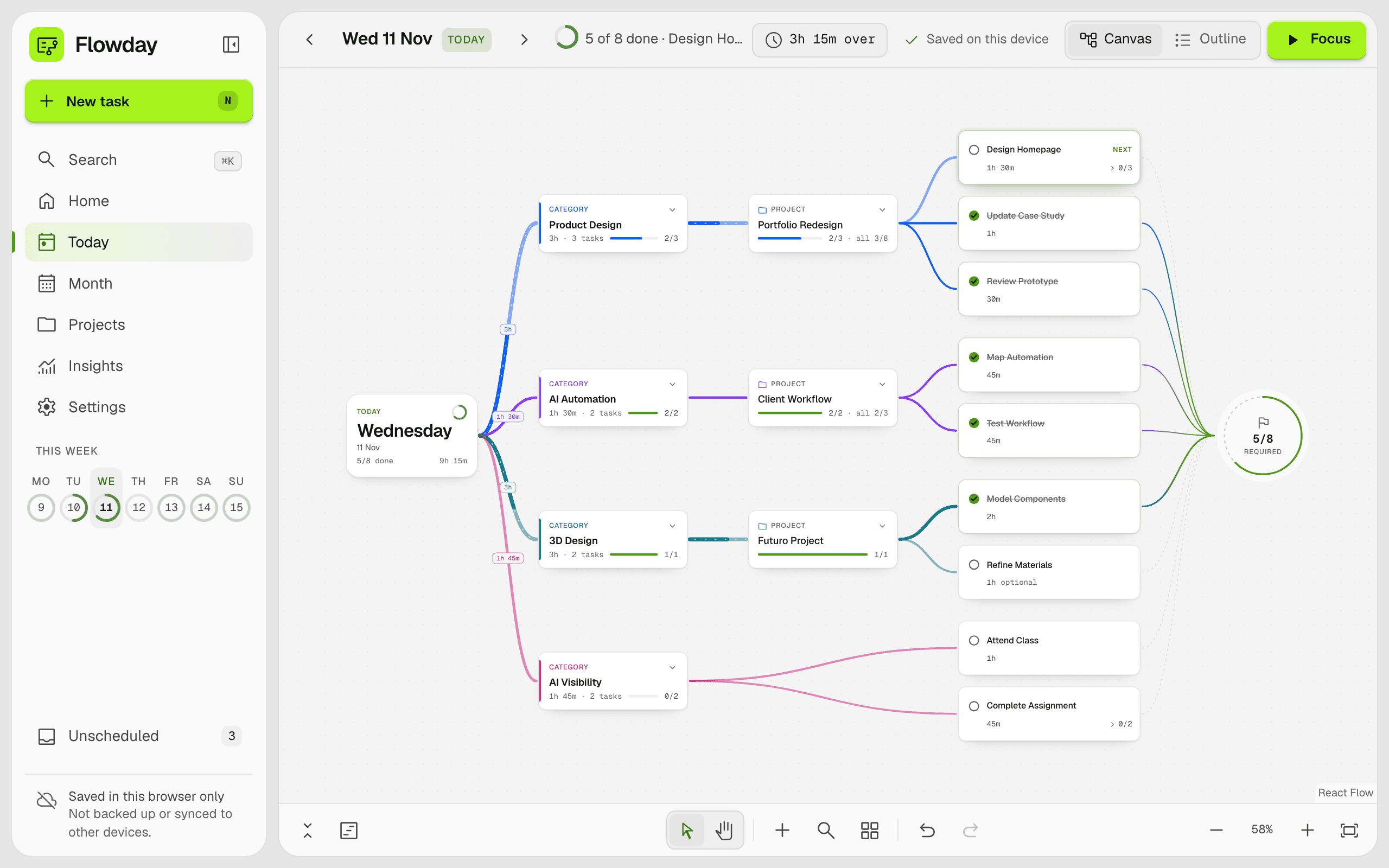
Your whole day on one canvas
Areas branch into projects, projects into tasks, and every line leads to Finish.
What Flowday does
Plan the day, the month, and the projects that run across them.
Branch the day
Each day branches into areas, projects and tasks, and every finished task flows to Finish.
Plan the month
Drag a task onto any day. Each day shows its planned time by category.
Adapt a full day
When a day holds too much, Flowday suggests what to move. Nothing moves until you agree.
See if a project is on track
A forecast says whether a project will meet its date, and names the tasks behind it.
Focus on one task
One task at a time, with a timer that records the time spent.
Learn from your weeks
See how long tasks really take, and when your work gets done.
Common questions
Do I need an account?
Yes, so your plans can follow you. You sign in with a link sent to your email, so there is no password to remember.
Can I use it on my phone and my computer?
Yes. Sign in on each, and a change made on one reaches the other. On a phone, a day opens as a list that is easy to use on a small screen.
Who can see my plans?
Only you. Your plans are saved to your account, and no other account can read them. Your email address is used to send sign-in links and nothing else. There are no adverts and no tracking scripts. How your data is kept.
Does it work offline?
Yes. Changes are saved on your device first and reach your account when you are back online.
Can I take my plans with me, or delete them?
Yes. Download a copy in Settings saves everything as a file, and Delete my account removes the account and every plan in it.
How is this different from a to-do list?
A list shows what is left. Flowday draws where each task belongs, in an area and a project, and every finished task runs a line into Finish, so you can watch the day take shape.
Get into your flow.
Every task in its place, every line running to Finish.